Parents and teachers often ask when children should move from block coding to Python. The answer is a step-by-step path. Coding for kids works best when students start with Scratch, build real projects with hardware, and then switch to text code once the logic feels natural. This guide lays out a Scratch to Python path for Classes 3 to 10, shows how block coding to Python concepts match up, and includes a short Python example. It will help schools plan coding classes for school students and help parents know what to expect.
Why a staged path works
Young children cannot type quickly, and spelling errors in code frustrate them. Block coding removes that barrier. Children drag and snap blocks, so they focus on the logic: what happens first, what repeats, and what happens if a condition is true.
Once these ideas are clear, typing them in Python becomes a matter of new syntax. The thinking stays the same. Students who skip straight to text often get stuck on brackets and colons and lose interest. Students who follow a path keep their confidence.
The path from Class 3 to Class 10
Classes 3 to 5: Scratch and design
Students build animations, stories and simple games in Scratch. They learn sequences, loops, conditions, events and variables. Tinkercad adds simple 3D design, which teaches planning and measurement. By Class 5, many students can make a small game with a score and a timer.
Classes 6 to 8: hardware and apps
Students meet the Arduino, sensors and simple circuits. Coding now controls real things, such as an LED that turns on in the dark or a buzzer that sounds when an object comes close. Arduino code is text-based, so students start reading and writing real code with help. MIT App Inventor lets them build phone apps with blocks, a good bridge between the two worlds.
Classes 9 and 10: Python, IoT and beginner AI
Students start writing Python, alongside ESP32 projects that send data to an IoT cloud dashboard. Teachable Machine introduces machine learning without code: students train a model to recognise images or sounds and then use it in a project. This prepares them for Python-based computer vision in Classes 11 and 12.
Block coding to Python: how the ideas match
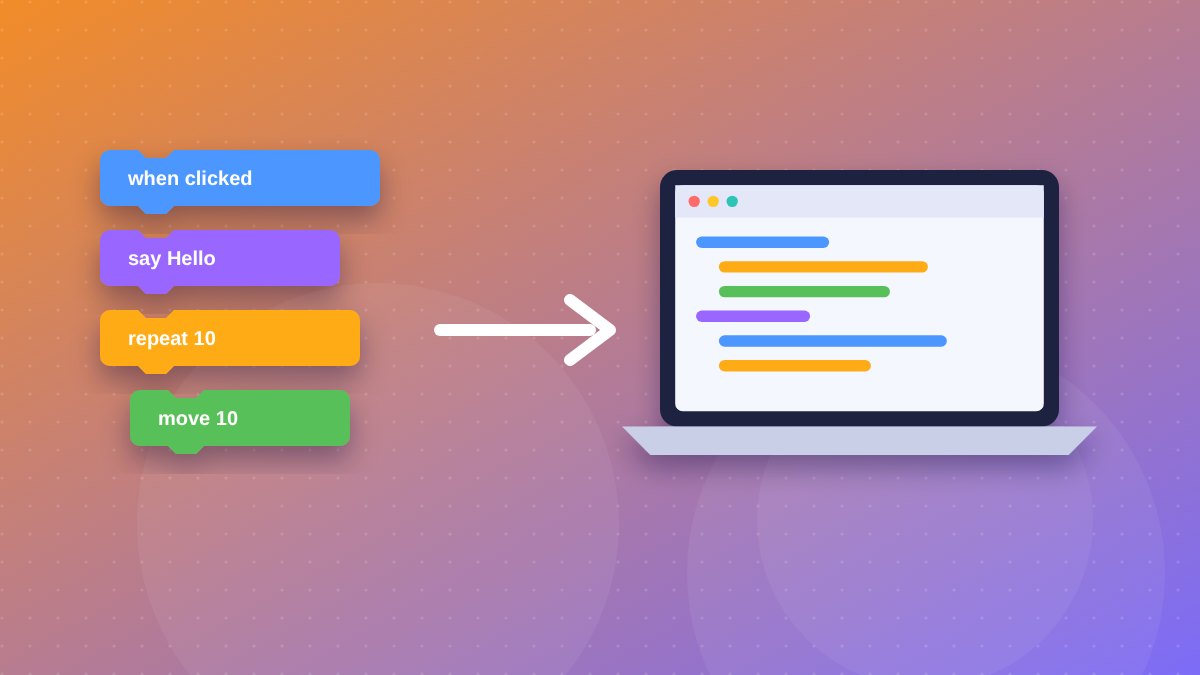
Every core Scratch block has a direct Python equivalent. Showing this side by side helps students see they already know the logic.
| Scratch block | Python equivalent | Idea |
|---|---|---|
| say Hello! | print("Hello!") | Output |
| ask and wait | input("Your name? ") | Input |
| set score to 0 | score = 0 | Variable |
| change score by 1 | score += 1 | Update a variable |
| repeat 10 | for i in range(10): | Counted loop |
| forever | while True: | Endless loop |
| if then else | if ... : / else: | Decision |
| pick random 1 to 10 | random.randint(1, 10) | Random number |
A first Python program: the times table quiz
This short program asks five multiplication questions and keeps a score. Students who made a quiz in Scratch will recognise every part of it.
import random

score = 0
for question in range(5):
    a = random.randint(2, 9)
    b = random.randint(2, 9)
    answer = input(f"What is {a} x {b}? ")
    if answer == str(a * b):
        print("Correct!")
        score += 1
    else:
        print("Not quite. The answer is", a * b)

print("You scored", score, "out of 5")
Here is how it maps to Scratch:
score = 0is the “set score to 0” block.for question in range(5):is “repeat 5”.random.randint(2, 9)is “pick random 2 to 9”.input()is “ask and wait”, and the reply is stored inanswer.ifandelsework exactly like the “if then else” block.
Students can extend it: add a timer, increase the number of questions, or change the range for harder problems. Small changes like these build confidence quickly.
Common challenges when switching to Python
- Indentation. In Python, the spaces at the start of a line show which code belongs inside a loop or condition. Compare indentation to the way blocks nest inside a Scratch “repeat” block.
- Typing errors. A missing colon or quote mark stops the program. Teach students to read the error message and check the line it points to.
- Case sensitivity.
Scoreandscoreare different names in Python. - Text and numbers.
input()always returns text. That is why the quiz compares the answer withstr(a * b).
Tips for teachers and parents
- Rebuild an old Scratch project in Python. Familiar ideas make new syntax easier.
- Keep early programs short, around 10 to 20 lines.
- Celebrate debugging. Finding and fixing an error is a real coding skill.
- Connect code to hardware where possible. A program that lights an LED feels more real than one that only prints text.
- Let students explain their code aloud. If they can explain it, they understand it.
Key takeaways
- Start with Scratch in Classes 3 to 5 to build logic without typing barriers.
- Use Arduino and MIT App Inventor in Classes 6 to 8 as a bridge to text code.
- Introduce Python in Classes 9 and 10 alongside ESP32 and beginner AI.
- Every Scratch block has a Python equivalent, so students already know the logic.
- Short, familiar projects make the switch to Python smooth.
A complete coding and robotics pathway for your school
Industrial Robotics Institute (IRI) runs a Robotics & AI pathway for Class 1 to 12, built on its own grade-wise textbook series and aligned with NEP 2020. Students move from ScratchJr and Scratch to Arduino, ESP32, Teachable Machine, Python and computer vision, with weekly hands-on classes on campus using real kits. IRI has set up more than 180 Robotics & AI labs in schools. Book a free 1 to 2 hour demo class by calling 8606082634 or emailing inrobos@gmail.com.
Weekly hands-on classes for Class 1–12 on IRI's own textbook series. Start with a free demo class on your campus.
Call 8606082634 · inrobos@gmail.com
Frequently asked questions
When should students move from Scratch to Python?
Most students are ready for Python in Classes 9 and 10, after building logic in Scratch and reading text code through Arduino in Classes 6 to 8.
Do students forget Scratch skills when they switch?
No. Loops, conditions and variables work the same way in Python. Students carry the logic over and only learn new syntax.
What software do students need for Python?
Python is free. Students can install it on a computer or use a free online editor, so schools need only a basic computer lab.